







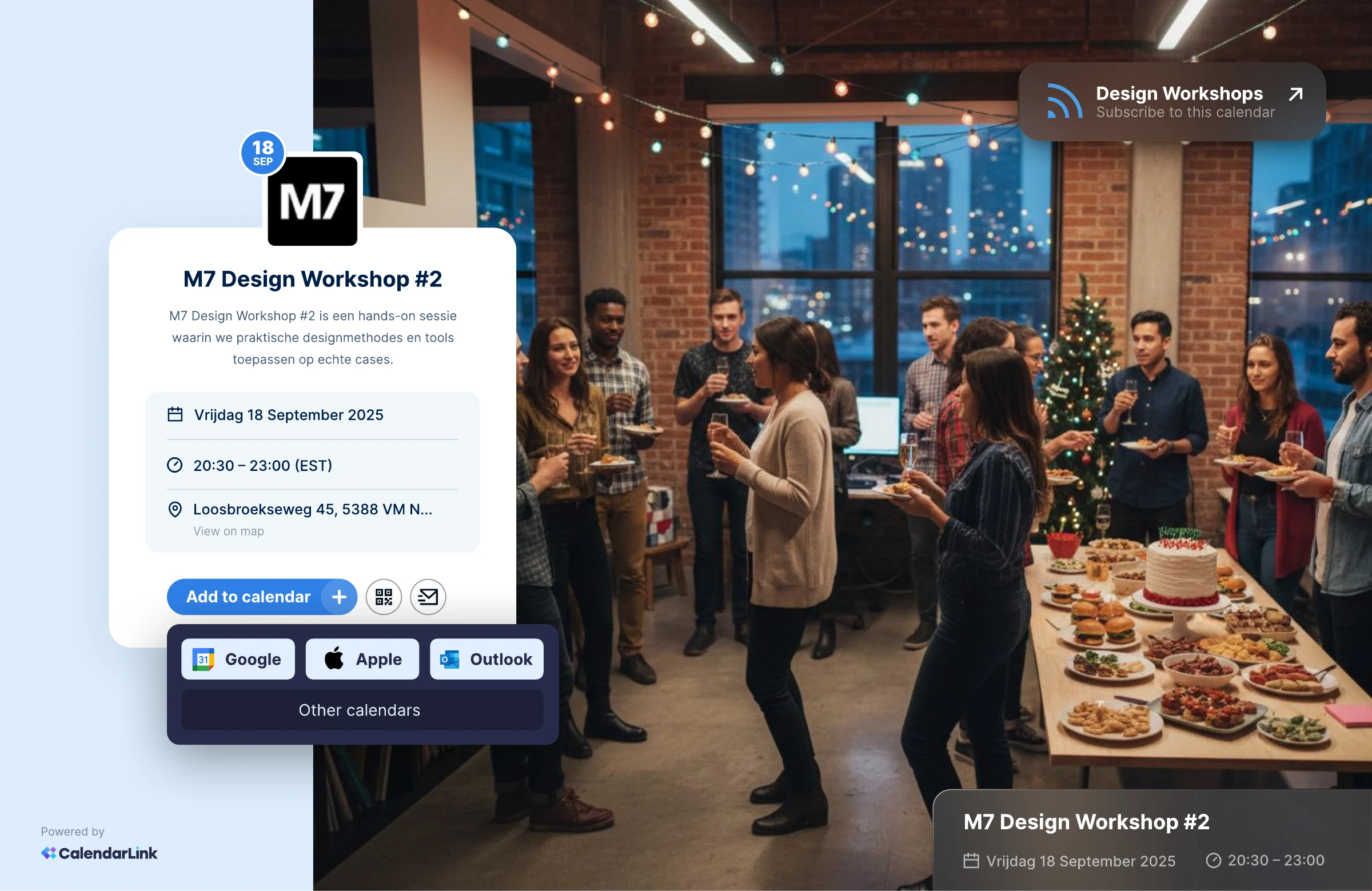
UX/UI design of CalendarLink's new application: the flow for creating an event, the event page with 'Add to calendar', a personal invitation and the same steps on mobile.
- Client
- CalendarLink
- Sector
- Tech, SaaS & Startups
- Applications
In CalendarLink's new application you create an event that visitors add to their own calendar. Creating it had to feel just as easy as adding it: few fields, and seeing straight away what it looks like.
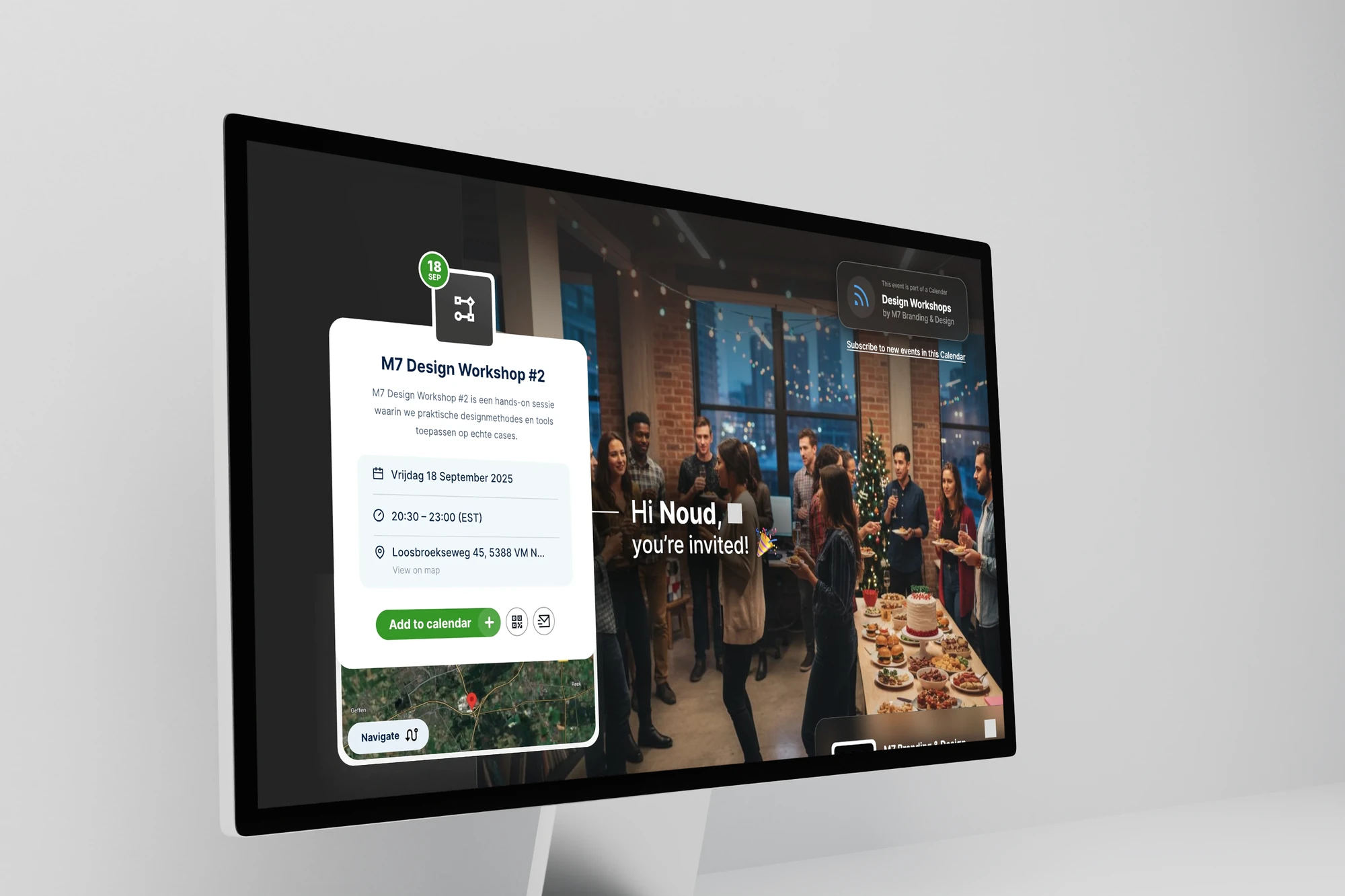
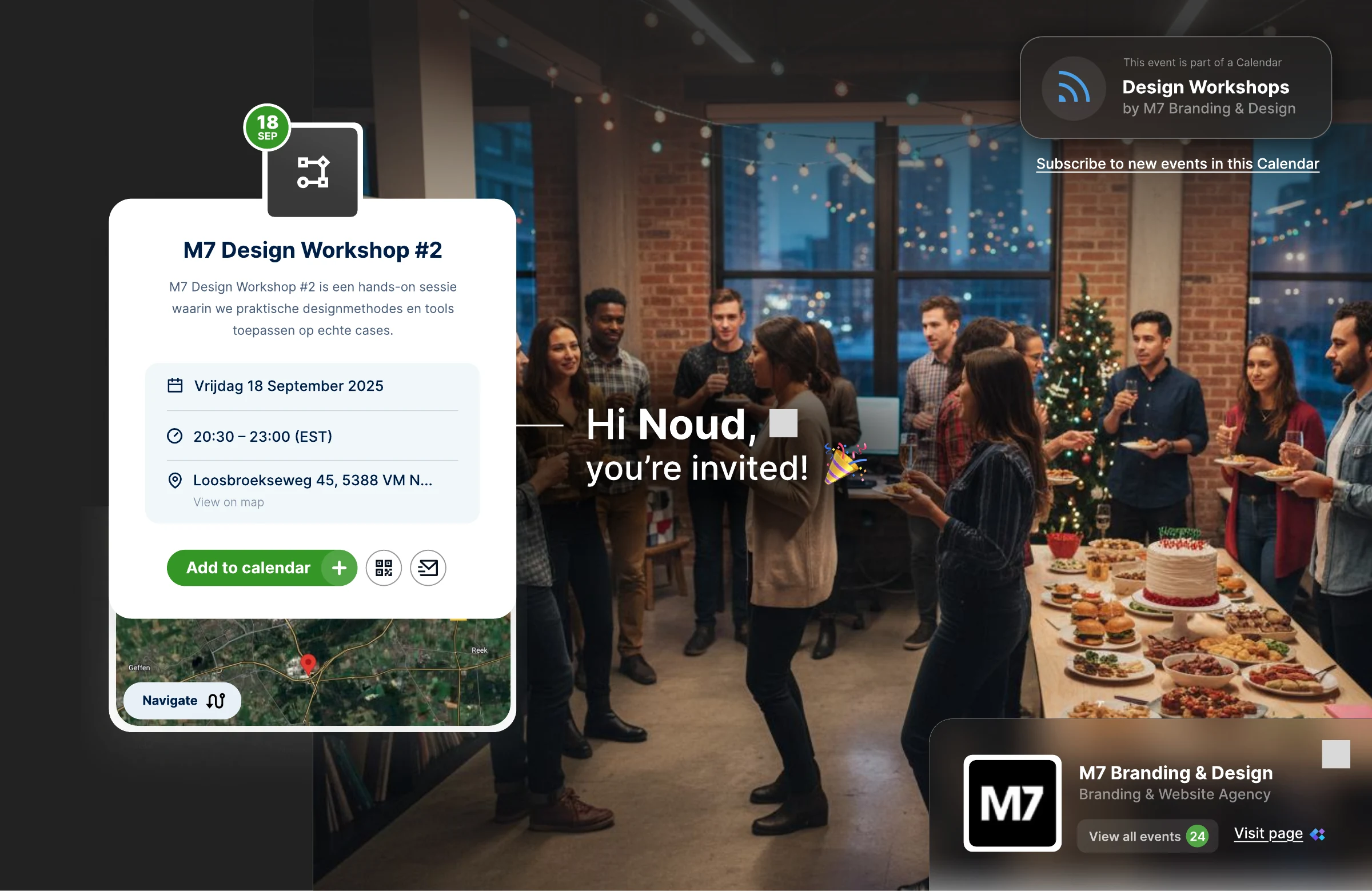
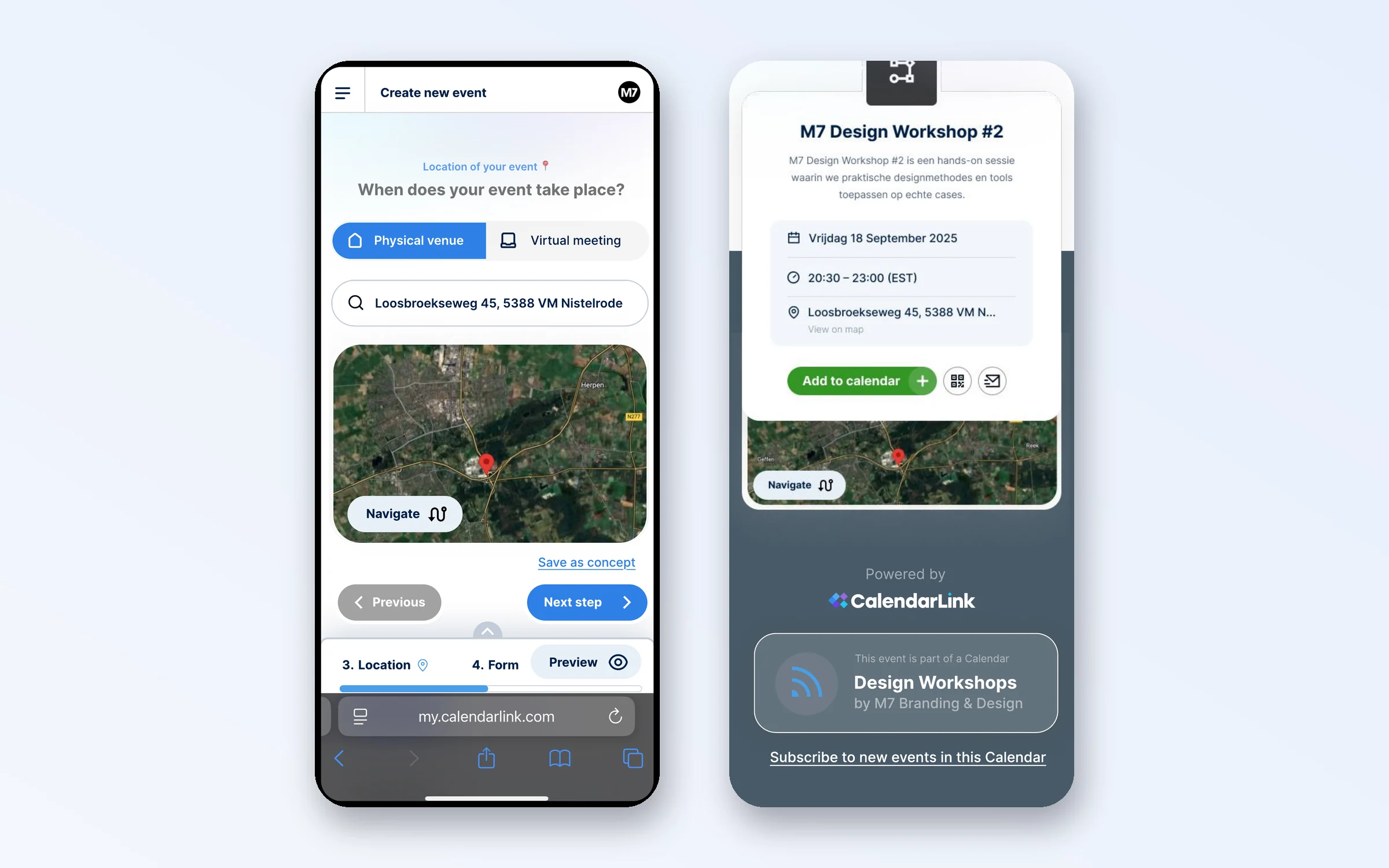
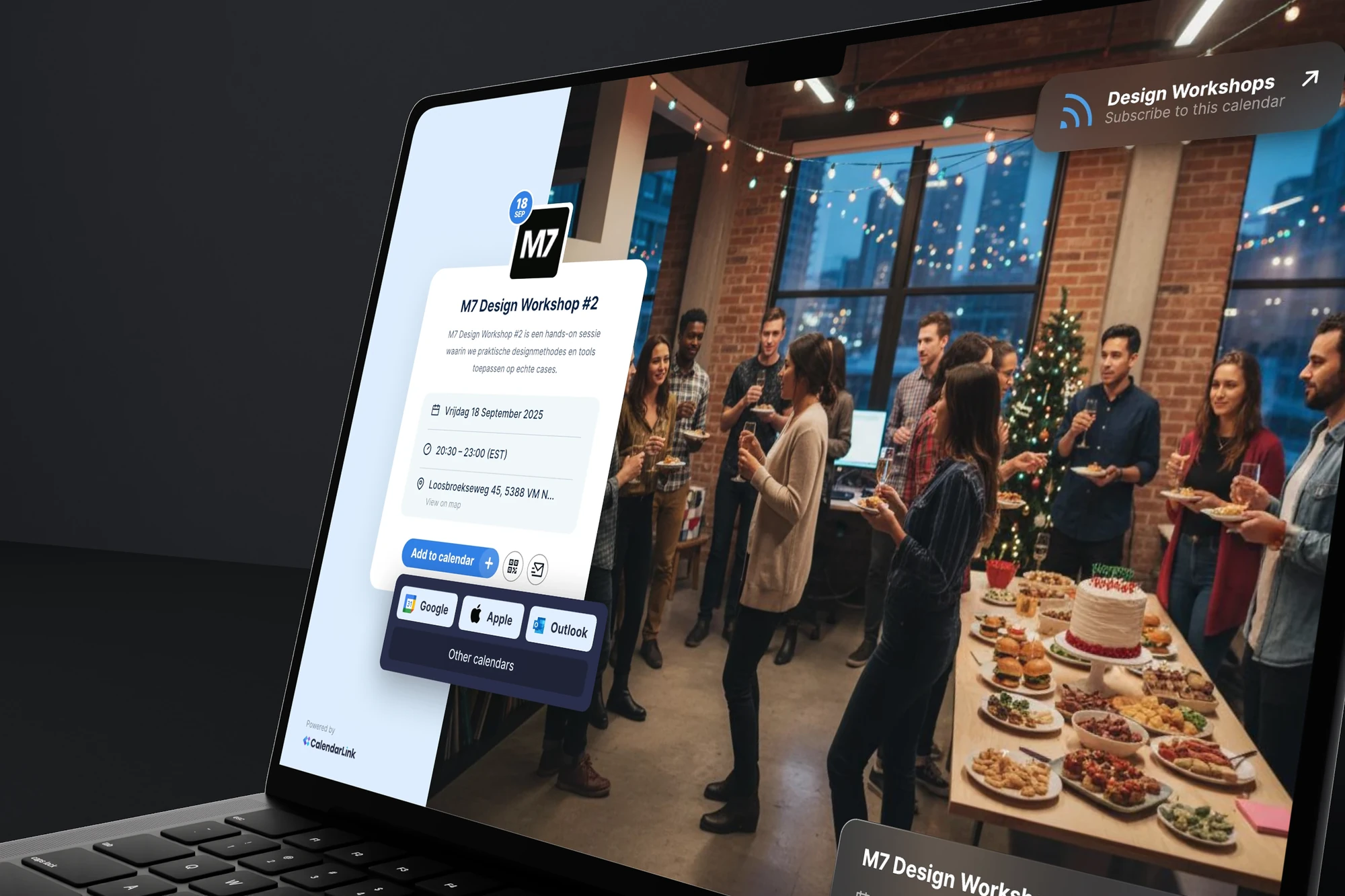
We designed the UX/UI of the application. You create a new event in steps: name, date, location, visitors and review, with a preview of the event page next to the form throughout, on desktop and on mobile. You choose brand colours, a background and a personal welcome line, such as 'you're invited!' with the guest's name, and you can have a description generated with AI. The event page shows date, time and location on a map, with buttons for Google, Apple, Outlook and other calendars, and visitors can subscribe to new events. On mobile you follow the same steps, with a choice between a physical venue and a virtual meeting, a map and a navigate button.
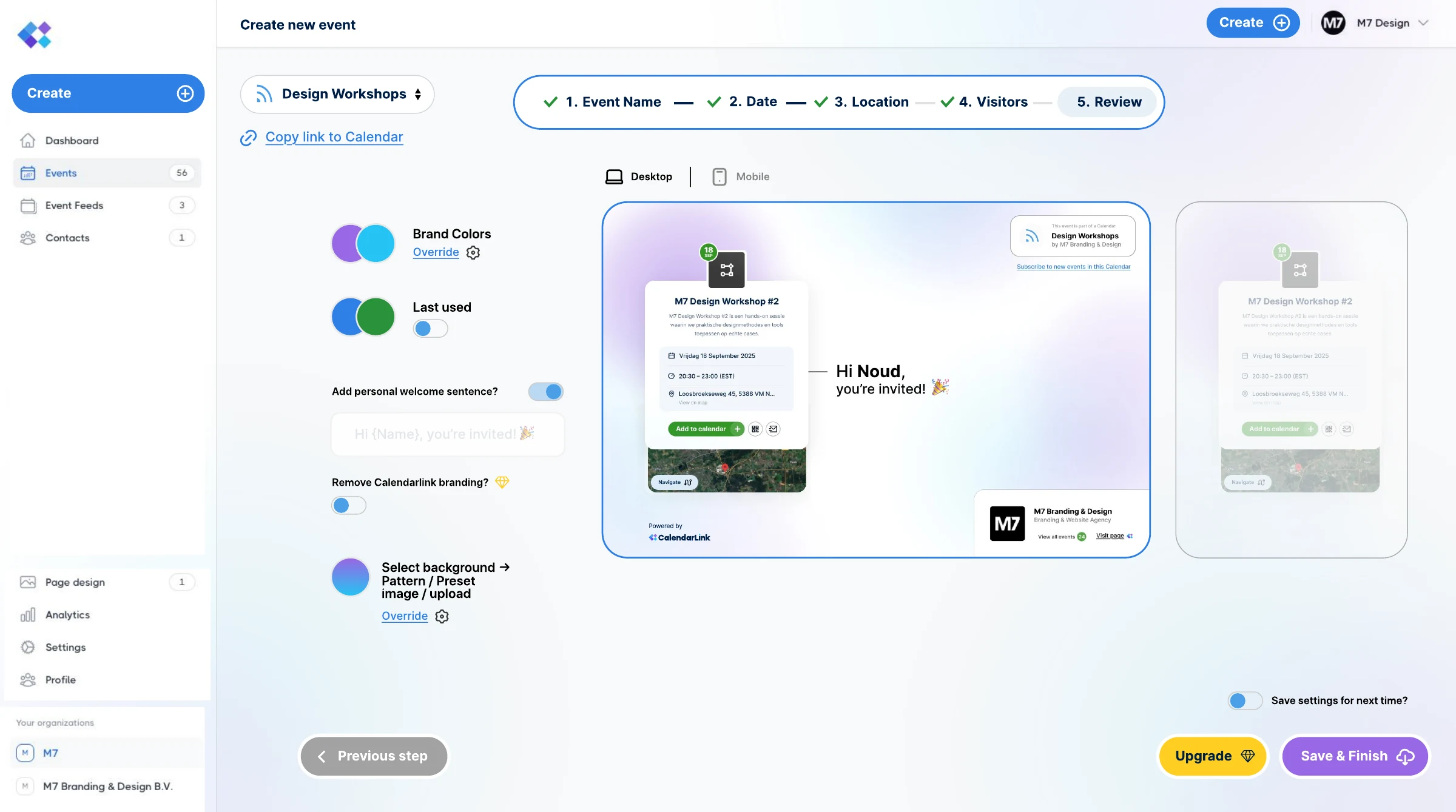
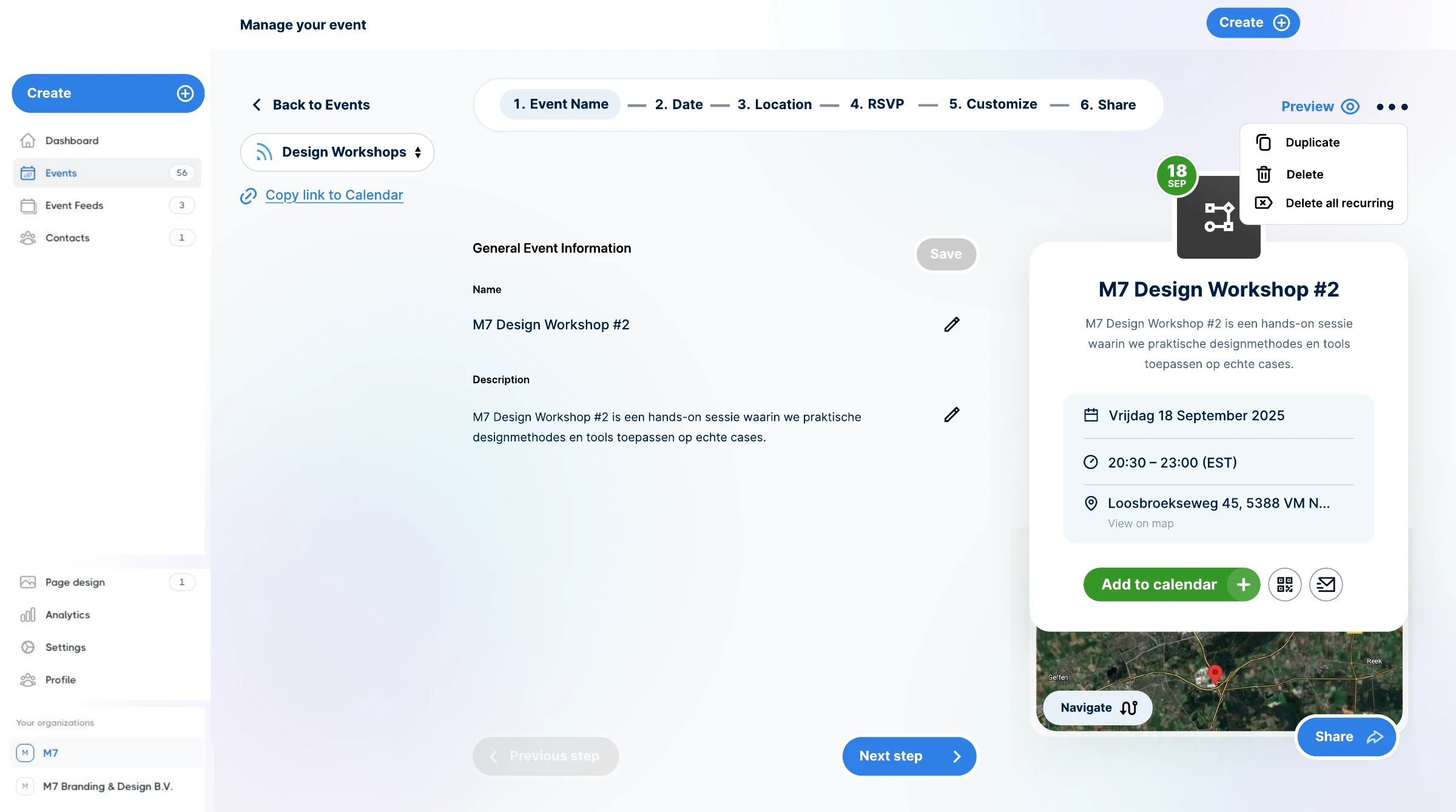
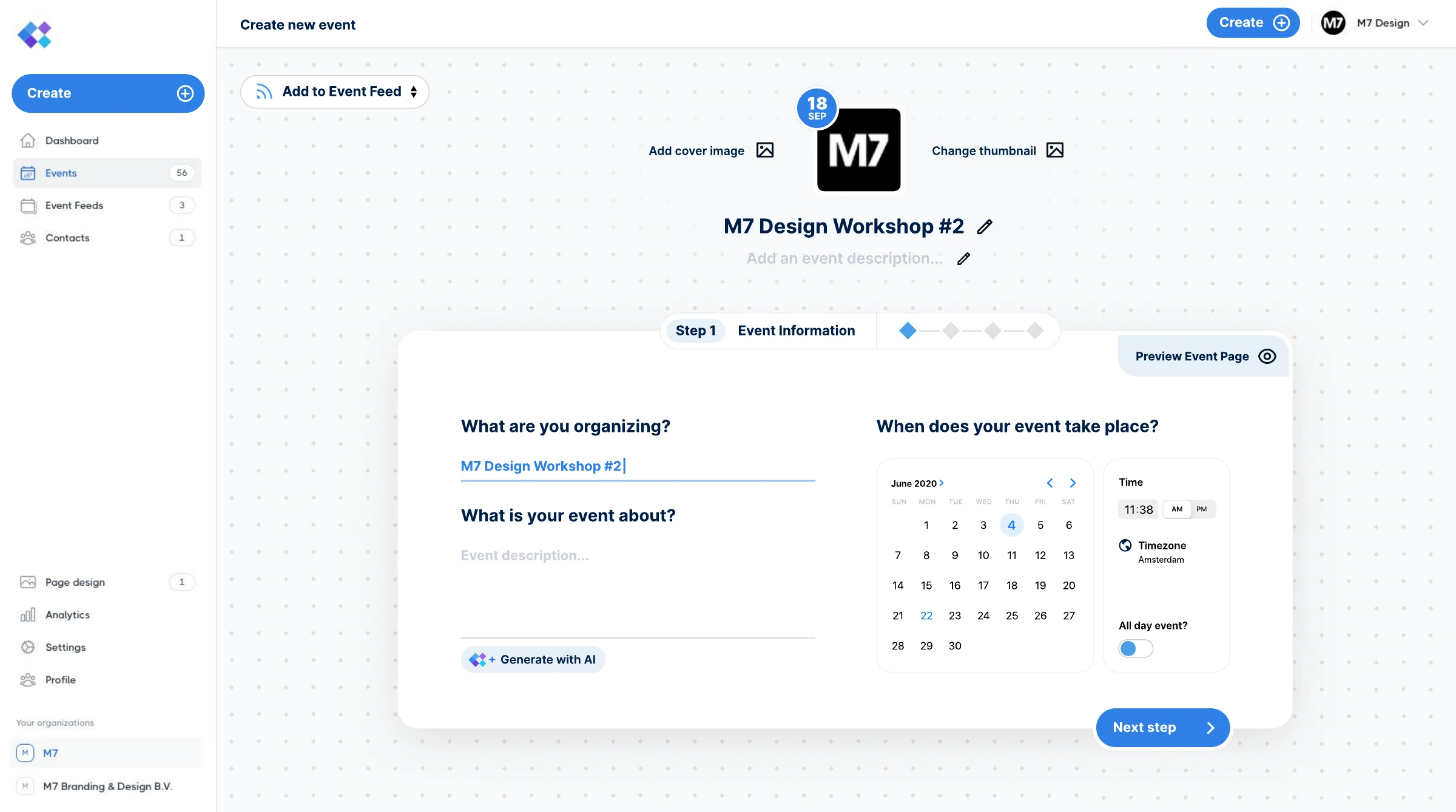
Creating an event that feels like filling in and seeing it at once, on desktop and on mobile.
Today may be the day to meet your strategic partner.




 Martijn, Noud and the rest of the team are ready for you.