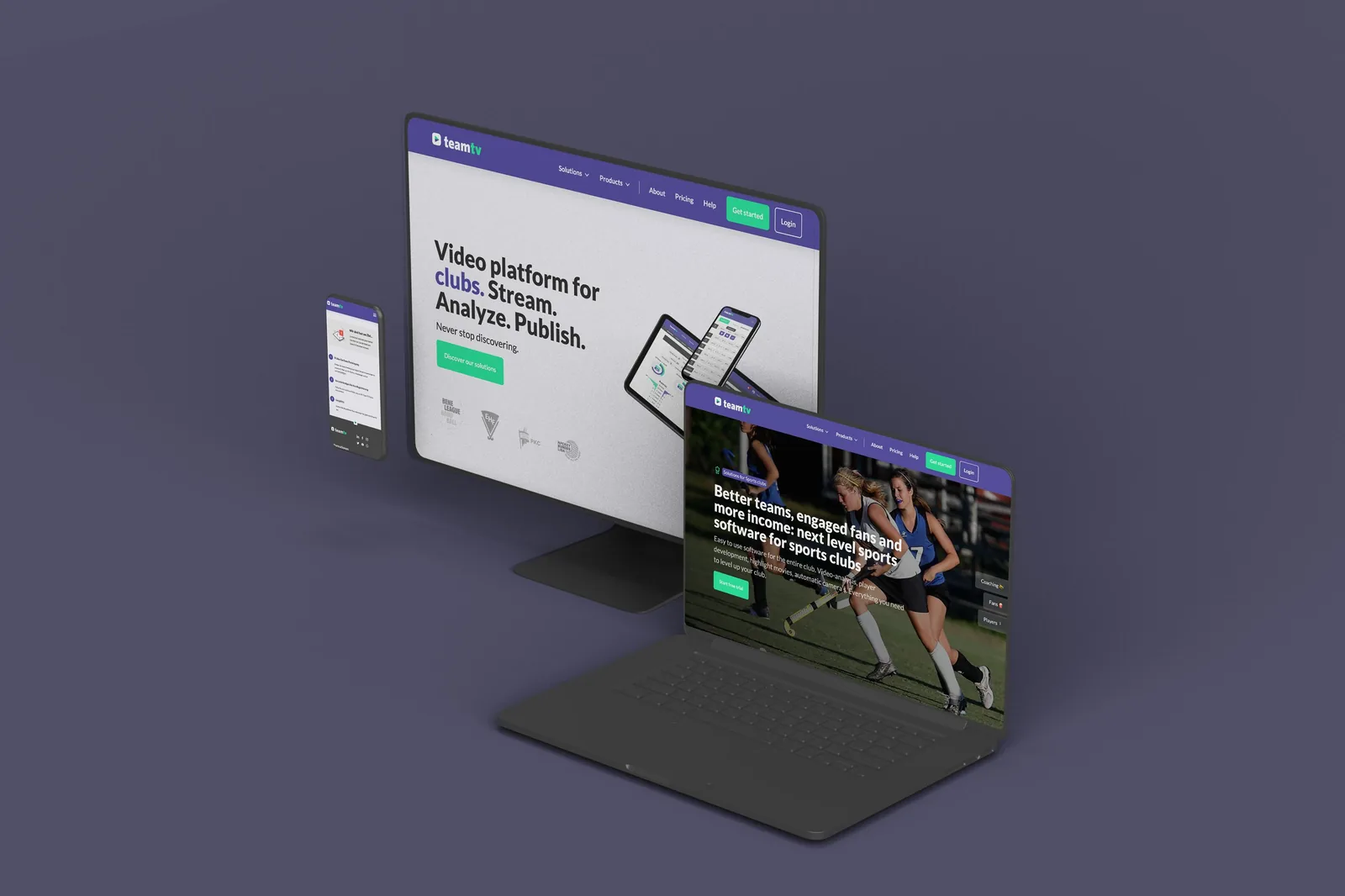
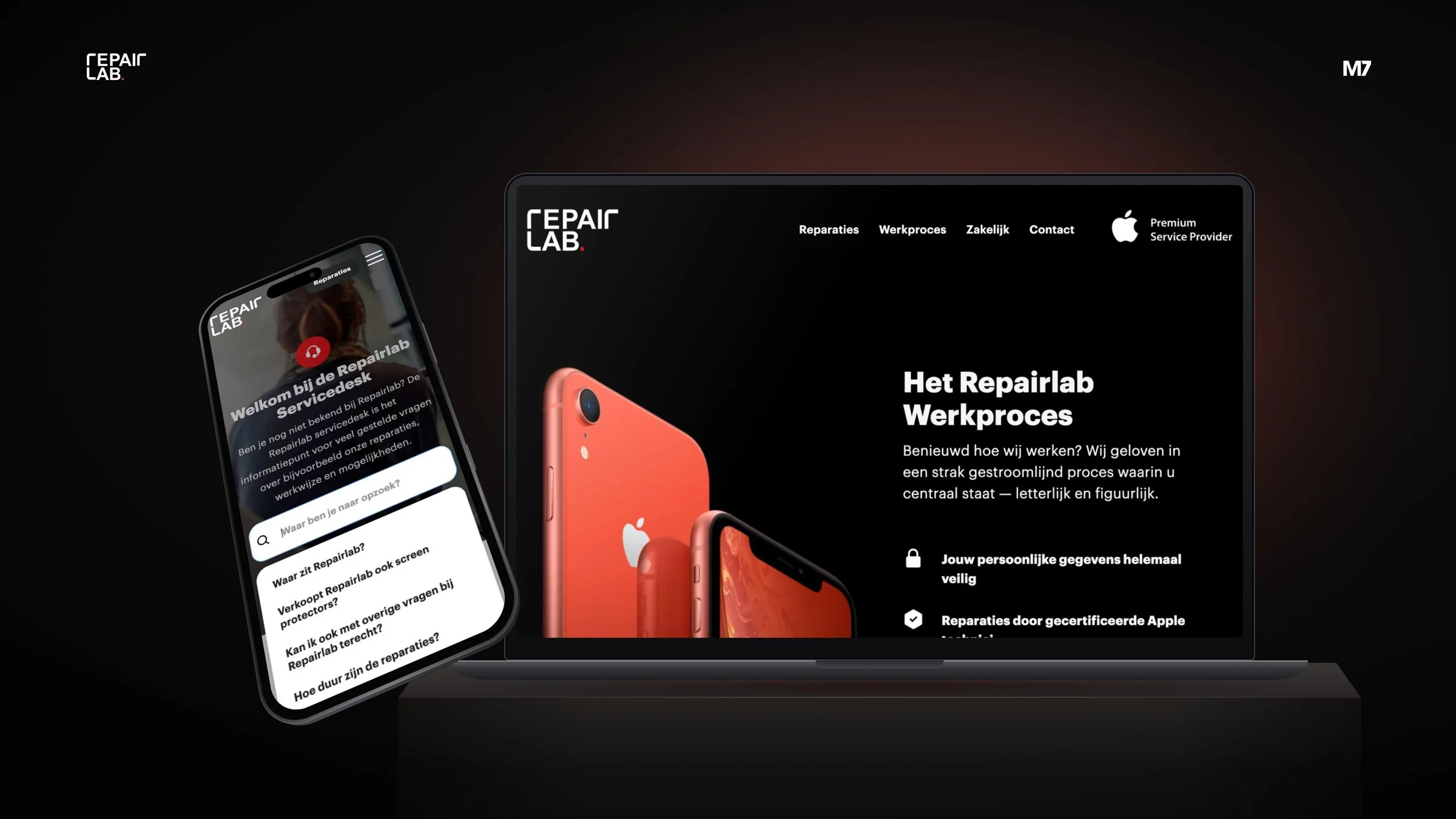
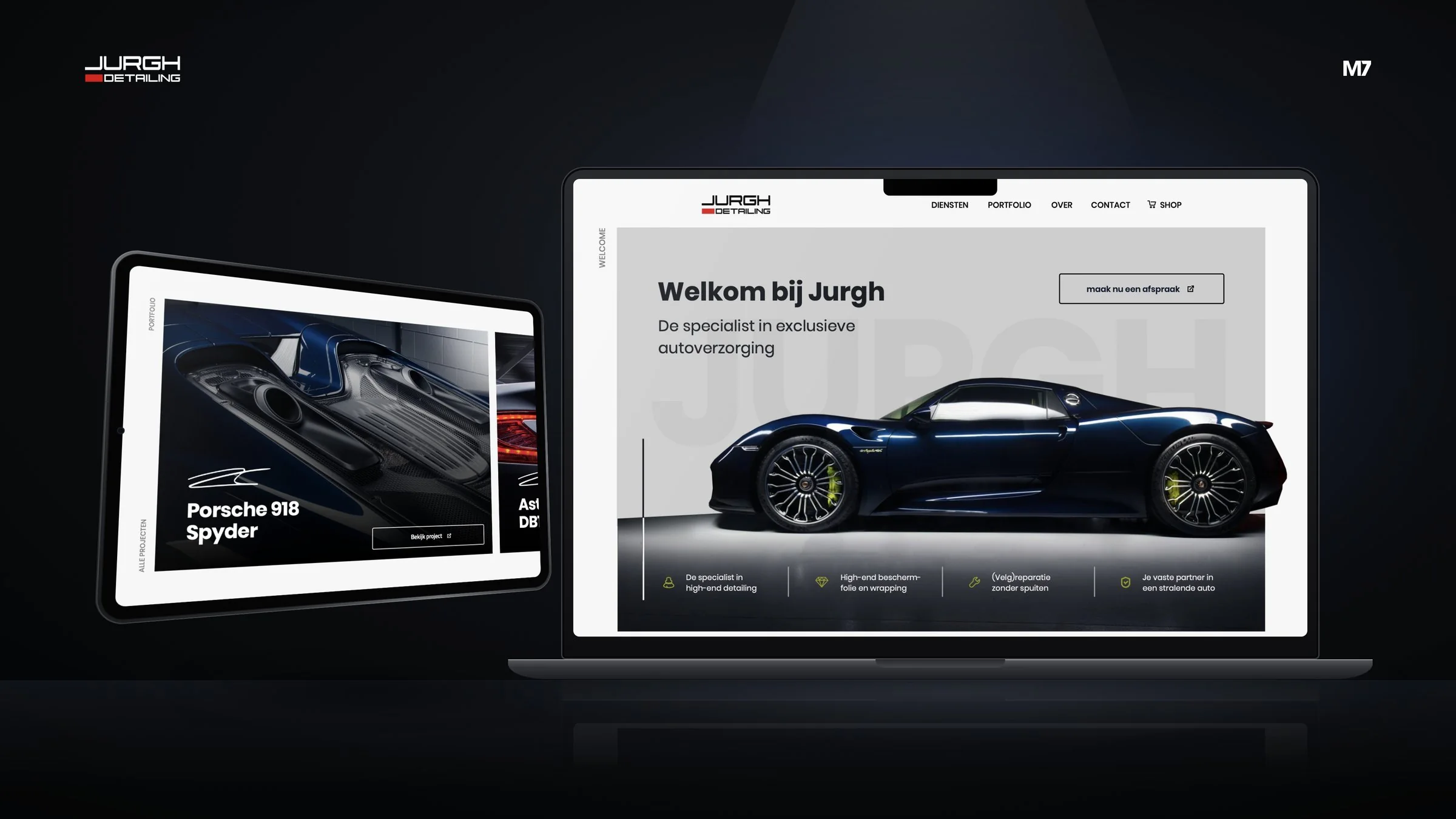







10 services, 10 routes
Every service has its own route, but you always know where you stand. Pick what you're looking for and see, step by step, how we get from the first coffee to results.
Process · 5 steps
Branding & Rebranding
From brand strategy to logo and full visual identity: we build brands that stand out, make sense and grow with your ambition.
Discovery & brand audit
We dive into your company, market, competitors and audience. What truly sets you apart, and where is the opportunity?
Strategy & positioning
Brand promise, core values, personality and tone of voice: the foundation every later decision is built on.
Concept & design
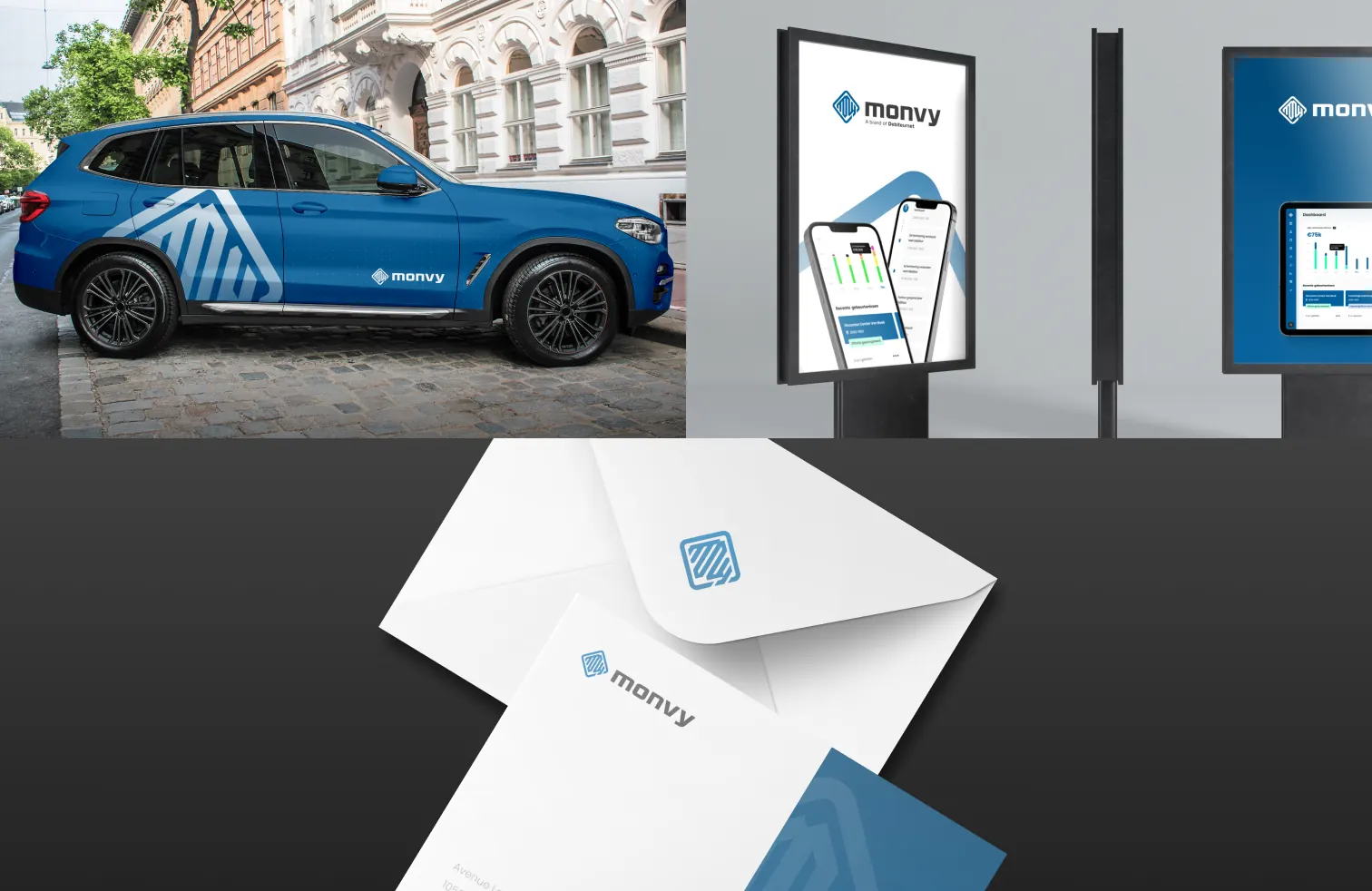
Logo, colours, typography and imagery, presented in realistic mock-ups so you see your brand come to life immediately.
Roll-out & brand book
All files, templates and guidelines in a clear brand book. Ready for web, print, social and signage.
Launch & activation
Website, socials, print and campaigns in the new style: we launch your brand right, in one go.
Step 1 of 5: Discovery & brand audit
What you get
Pick an application and see exactly what ends up on the table.
The foundation: what do you stand for and why do customers choose you?
- Market and competitor analysis
- Audience and persona profiles
- Positioning and brand promise
- Core values and brand personality
- One-page brand platform
- Brand architecture advice
A timeless, scalable logo that works from favicon to building facade.
- 2 to 3 concept directions
- Logo system with all variants
- Files in SVG, PNG, PDF and EPS
- Favicon and app icons
- Usage guidelines
- Optional: logo animation (Lottie)
Colours, typography, imagery and icons that form one brand together.
- Colour palette (RGB, HEX, CMYK, Pantone)
- Typography and type hierarchy
- Imagery and photography guidelines
- Graphic elements and patterns
- Icon set
- Social and presentation templates
Your brand ready for the next phase, without losing its foundation.
- Brand audit and advice
- Renewed strategy and positioning
- New or refreshed logo and identity
- Roll-out plan for all assets
- New website or website update
- Launch communication
All brand rules clearly documented, so everyone works on-brand.
- Brand story and core values
- Logo usage and clear space
- Colour and typography guidelines
- Imagery and iconography
- Tone of voice
- Examples for web, social and print
A name that fits, sticks and is available as a domain.
- Naming strategy
- Longlist and shortlist with rationale
- Domain and social check
- Tagline options
- Trademark registration advice
How your brand sounds: recognisable in every sentence, on every channel.
- Tone of voice guidelines
- Key messages and elevator pitch
- Sample copy per channel
- Word list (do/don't)
- AI prompt for your brand voice
An employer brand that attracts and retains the right talent.
- Employer value proposition
- Careers website
- Photography and recruitment video
- Vacancy templates
- Recruitment campaigns
Know how your brand really comes across, with customers, staff and the market.
- Interviews with customers and employees
- Online survey and analysis
- Analysis of reviews and online mentions
- Brand perception next to desired identity
- Report with key insights
- Presentation and advice on next steps
See what competitors do, so you can be different on purpose.
- Selection of direct and indirect competitors
- Analysis of positioning and messaging
- Comparison of visual identity and website
- Search visibility in Google
- Positioning map with white spaces
- Opportunities and recommendations
Questions about the process
How long does a branding project take?
A logo and basic identity typically takes 3 to 6 weeks. A complete project including strategy, brand book and roll-out usually takes 6 to 12 weeks, depending on feedback rounds and the number of assets.
How many design concepts and feedback rounds do I get?
By default we present two to three distinctive concept directions, followed by two feedback rounds on the chosen direction. Need more? We agree on that transparently upfront.
Do I receive all source files and rights?
Yes. On delivery you receive all logo and identity files (SVG, PNG, PDF, EPS) and the rights to use them within your organisation. Templates in Figma, Canva or Adobe are included where agreed.
Process · 5 steps
Websites & Web Shops
From Webflow and WordPress to WooCommerce and Shopify: we design, build and manage websites and web shops that are fast, easy to find and actually convert.
Intro & strategy
We discuss your goals, audience and competitors and choose the best-fitting platform together: Webflow, WordPress or Shopify.
Sitemap & UX
Structure, user flows and wireframes, built on keyword research. That way the content is solid before we start styling.
Design in Figma
A UI design in your brand style for desktop, tablet and mobile, including interactions and animations. You see your site before it is built.
Development & content
We build your site responsive and fast, with a tailored CMS, integrations, tracking and a GDPR-compliant cookie banner.
Launch, hosting & support
Testing, redirects, go-live and monitoring. After that, a web plan keeps your site secure, fast and up to date.
Step 1 of 5: Intro & strategy
What you get
Pick an application and see exactly what ends up on the table.
Premium design, smooth animations and a CMS you manage yourself.
- Sitemap, wireframes and UX/UI design in Figma
- Pixel-perfect Webflow build, fully responsive
- CMS structure with custom fields
- Interactions, GSAP and Lottie animations
- Technical SEO, redirects and Core Web Vitals optimisation
- Walkthrough and video manual for your team
Flexible, extensible and familiar: WordPress done right.
- UX/UI design in Figma
- WordPress build with Elementor or a custom theme
- Custom post types and fields for your content
- SEO foundation with Yoast or Rank Math
- Speed and security optimisation
- Hosting, backups and updates through a web plan
A web shop that sells: from product page to iDEAL checkout.
- Shop design for home, category, product and checkout
- Shopify or WooCommerce build
- Payments via iDEAL, credit card, Apple Pay and more
- Shipping, VAT and invoice settings
- Product import and stock or accounting integrations
- Tracking with GA4 and product feeds
One page, one goal: more leads from your campaigns.
- Copy and structure focused on conversion
- Design in your brand style, mobile-first
- Build in Webflow or WordPress
- Form with CRM or email integration
- Conversion tracking via GA4 and Tag Manager
- Optional: A/B test variants
Design that looks great and guides visitors effortlessly.
- Audience and competitor analysis
- Sitemap and user flows
- Wireframes for key pages
- UI design for desktop, tablet and mobile
- Clickable prototype in Figma
- Design system with components
Moving to a new platform, without losing your Google rankings.
- SEO baseline: crawl, rankings and backlinks
- URL mapping and 301 redirect plan
- Migration of content, media and metadata
- CMS import of blogs, cases or products
- Testing on staging and go-live
- Monitoring in Search Console after launch
Fast hosting, updates, backups and support in one web plan.
- Fast hosting with SSL certificate
- Automatic backups and restore
- CMS, theme and plugin updates
- Uptime and security monitoring
- Support for issues and questions
- Optional: hours for changes and further development
All your domains, DNS and business email in one secure place.
- Domain name registration and transfers
- Management of .nl, .be, .com and other extensions
- DNS management and records for your tools
- SSL certificates
- Email setup with SPF, DKIM and DMARC
- Connection to Google Workspace or Microsoft 365
One website, multiple languages and markets, easy to find in every country.
- Language and URL structure per market
- Webflow Localization or WPML/Polylang
- Translation and localisation of content
- Hreflang, translated metadata and sitemaps
- Language switcher and language suggestion
- Walkthrough for managing each language
A website everyone can use, including people with a disability.
- Accessible design following WCAG 2.2 AA
- Colour contrast and typography checked
- Keyboard and screen reader support
- Semantic HTML and a clear heading structure
- Accessible forms and error messages
- Short guide for your content editors
Know where your website trips up, with a clear improvement plan.
- Automated scan of your website
- Manual test of key pages and flows
- Keyboard, zoom and screen reader testing
- Report per WCAG success criterion
- Prioritised improvement plan
- Help with your accessibility statement
A website that loads quickly, on every device and every connection.
- Baseline with lab and field data
- Analysis per page type
- Image and font optimisation
- Cleaning up and deferring scripts
- Caching, CDN and hosting advice
- Follow-up measurement and report
Questions about the process
How long does it take to build a website?
A compact website typically goes live in 4 to 6 weeks. An extensive website or web shop with custom design, CMS structure and integrations usually takes 8 to 12 weeks. The timeline mainly depends on scope, content delivery and the number of feedback rounds.
Can I manage my website myself?
Yes. We set up a CMS with a content model and custom fields that match your content exactly: pages, blogs, cases, vacancies, products or team members. That lets you edit text and images and add new items without breaking the design. On delivery you get a walkthrough and a manual, and we remain available for questions.
Process · 5 steps
Web Apps, Portals & Apps
From customer portal and SaaS platform to mobile app for iOS and Android: we design and build software that speeds up your processes and that your users love to use.
Discovery & scoping
We map goals, users, processes and existing systems and define the scope and priorities together.
UX/UI & prototype
User flows, wireframes and a clickable prototype in Figma. That way you test the idea before a single line of code is written.
Development in sprints
We build in short sprints with a clear kanban board and a working demo after every sprint. You see your product grow.
Testing & launch
Automated and manual tests, a beta round with real users and publication in the stores or on your own domain.
Support & iteration
Monitoring, updates and security, plus new features based on data and feedback from your users.
Step 1 of 5: Discovery & scoping
What you get
Pick an application and see exactly what ends up on the table.
A dedicated online environment where customers take care of things themselves.
- Analysis of processes and user roles
- UX/UI design of the portal
- Login with roles, permissions and 2FA
- Quote, invoice and document modules
- Online payments via Mollie or Stripe
- Integrations with CRM, ERP or accounting
From idea to scalable software product with subscriptions and user management.
- Product strategy and scope
- UX/UI design and design system
- Multi-tenant architecture with roles
- Subscriptions and billing via Stripe or Mollie
- Admin environment and analytics
- Hosting, monitoring and ongoing development
One app for iOS and Android, from design to App Store.
- App concept and user flows
- UI design for iOS and Android
- Development in React Native (Expo) or Flutter
- Backend, API and admin environment
- Push notifications and analytics
- Publication in the App Store and Google Play
All your numbers and processes clearly on one screen.
- KPI session and data source overview
- Integrations with your data sources
- UX/UI design of the dashboard
- Real-time charts, filters and exports
- Roles and permissions per user
- Internal workflows and automations
Interfaces that work intuitively and look premium.
- User research and interviews
- User flows and information architecture
- Wireframes and clickable prototype
- UI design for web, iOS and Android
- Design system with components and tokens
- Usability tests and iterations
A digital home base for your members, fans or loyal customers.
- Concept and rules for the programme
- Member portal or loyalty app in your brand style
- Login, profiles and preferences
- Fees and payments via Mollie or Stripe
- Points, rewards and digital pass
- Integration with CRM and email marketing
Make your systems work together, without duplicate work.
- Inventory of systems and data flows
- Integration architecture and data mapping
- Integrations via API, webhooks or Make/n8n
- Synchronisation of customers, orders and invoices
- Logging, monitoring and error alerts
- Documentation and management
Validate fast with a working product, instead of endless planning.
- Scoping session and feature prioritisation
- Clickable prototype for validation
- MVP as a web app or mobile app
- Analytics and feedback moments
- Launch and first users
- Roadmap for further development
Discover what users really need, before you start building.
- Research plan and research questions
- User interviews and observation
- Analysis of analytics and heatmaps
- Personas and customer journey
- Overview of pain points and opportunities
- Recommendations for design and roadmap
Watch how real users use your design, and where they get stuck.
- Test plan with tasks and scenarios
- Participant recruitment in consultation
- Moderated or unmoderated tests
- Recordings and observation notes
- Findings ranked by severity
- Updated design after the test round
From wish list to a clear backlog developers can build from.
- Workshops with stakeholders
- Story map of the user journey
- User stories with acceptance criteria
- Non-functional requirements
- Prioritised backlog
- Alignment with design and development
Release safely and often, on a platform that is watched over.
- CI/CD pipeline with automated tests
- Preview, test and production environments
- Infrastructure and hosting setup
- Backups and recovery procedure
- Monitoring, logging and alerts
- Management of updates and dependencies
Questions about the process
How long does it take to develop an app or portal?
An MVP or compact portal typically goes live in 6 to 12 weeks. More extensive platforms and apps are built in phases: after the first release we keep developing in sprints based on feedback and data. In the scoping session we create a realistic timeline.
What happens after launch?
Software needs maintenance: framework and operating system updates, security, monitoring and hosting. With a support and maintenance agreement we take care of that, with room for further development on top. Costs depend on the size of your product and how much you want to keep building.
How does the collaboration work during the project?
You have a dedicated point of contact and access to a kanban board where you follow progress. We work in short sprints and show a working demo after each one. That way you give feedback early, we adjust priorities together and you always know where you stand.
Process · 5 steps
Automation & Funnels
From first click to loyal customer: we build funnels, email flows, CRM integrations and automations that follow up your leads, even when you are not looking.
Audit & customer journey
We map your current tools, data and customer journey. Where do leads drop off and where are you leaving time or revenue on the table?
Strategy & blueprint
Funnels, segments, lead scoring and data flows in one clear blueprint, with KPIs we steer by together.
Build & integrations
We set up your CRM and email tool, build landing pages and flows and connect everything with Make, Zapier, n8n or APIs.
Tracking & testing
GA4, Tag Manager, Consent Mode v2 and conversions are set up watertight. We test every flow end-to-end before going live.
Launch & optimisation
After launch we track results in your dashboard and keep improving with A/B tests, new segments and additional flows.
Step 1 of 5: Audit & customer journey
What you get
Pick an application and see exactly what ends up on the table.
Personal follow-up based on behaviour, fully on autopilot.
- Customer journey and flow design
- Setup of your automation platform
- Segments, tags and triggers
- Personalised flows and templates
- Integration with CRM and website
- Reporting and optimisation
Newsletters and flows that get read and drive revenue.
- Email strategy and content calendar
- Responsive templates in your brand style
- Automated flows
- Sign-up forms and double opt-in
- SPF, DKIM and DMARC setup
- Reporting on opens, clicks and revenue
From ad to appointment: funnels that convince visitors step by step.
- Funnel strategy and customer journey
- Landing pages and opt-in pages
- Lead magnet (guide, checklist or quiz)
- Thank-you pages and follow-up flow
- Integration with CRM and email tool
- Conversion tracking per step
The right CRM, properly set up and connected to all your tools.
- CRM selection and advice
- Setup of pipelines and fields
- Data migration and clean-up
- Integrations with website, email and accounting
- Dashboards and reports
- Training and documentation
Make, Zapier or n8n: your tools work together, nobody has to retype anything.
- Process analysis and automation opportunities
- Scenarios in Make, Zapier or n8n
- API and webhook integrations
- Error handling and monitoring
- AI steps where useful
- Documentation and handover
Warm up leads and bring in sales only when someone is ready.
- Lead scoring model
- MQL and SQL definitions
- Nurturing series per segment
- Content per funnel stage
- Automatic sales notifications
- Reporting on lead quality
GA4, Tag Manager, server-side tagging and dashboards that add up.
- Measurement plan and KPI definition
- GA4 and Tag Manager setup
- Consent Mode v2 and cookie banner
- Server-side tagging
- Conversion APIs and audience sync
- Looker Studio dashboard
More results from the same traffic, with data and A/B tests.
- CRO audit and analysis
- Heatmaps and session recordings
- Hypotheses and test roadmap
- A/B tests and variants
- UX and copy improvements
- Reporting and learnings
Do your numbers actually add up? A thorough check of your tracking.
- GA4 and Tag Manager check
- Review of conversions and events
- Consent and Consent Mode check
- Comparison with CRM or web shop data
- Findings with impact and fix
- Advice on measurement plan and dashboard
Questions about the process
How long does it take to set up marketing automation?
A first flow, such as a welcome series or quote follow-up, is often live within 2 to 4 weeks. A complete setup with CRM, multiple flows, lead scoring and tracking usually takes 6 to 12 weeks, depending on the number of integrations, the amount of content and your existing data.
Can you work with my existing tools?
Yes, and that is often preferred. We first look at what you already use and what works well. Often better configuration and smart integrations get much more out of your current stack before a new tool is needed. Through APIs, webhooks, Make, Zapier or n8n we can connect almost any system.
How do I measure what marketing automation delivers?
We define upfront which KPIs matter, such as number of leads, conversion per funnel step, booked appointments, revenue per flow and cost per lead. With GA4, your CRM and a Looker Studio dashboard you see those figures in one overview, so you know which campaigns and flows deliver the most.
Process · 5 steps
SEO, AEO & GEO
Found on Google and mentioned by ChatGPT, Perplexity and Google AI Overviews: we make your brand discoverable in every search engine, classic and AI.
Audit & baseline
We analyse your technology, content, links and rankings, and check how your brand currently shows up in ChatGPT, Perplexity and AI Overviews.
Keywords & questions
Which keywords and questions does your audience use in Google and in AI assistants? We define search intent, opportunities and topic clusters.
Technology & structure
Core Web Vitals, indexing, internal links, structured data in JSON-LD and llms.txt: we lay a foundation machines understand effortlessly.
Content & authority
Pillar pages, FAQs, an answer hub and quality links and mentions that show your expertise and trustworthiness.
Measure & refine
With Search Console, Bing Webmaster Tools, GA4 and Looker Studio we track rankings, traffic and AI visibility, and refine every month.
Step 1 of 5: Audit & baseline
What you get
Pick an application and see exactly what ends up on the table.
Sustainably better found in Google and Bing, for the keywords that count.
- Keyword and competitor research
- SEO strategy and roadmap
- On-page optimisation
- Technical improvements
- Content and link building plan
- Monthly reporting
A fast, crawlable website that search engines and AI crawlers understand effortlessly.
- Technical crawl and analysis
- Core Web Vitals optimisation
- Indexing and sitemap review
- Redirect and canonical policy
- Hreflang for multilingual sites
- Robots.txt and AI crawler policy
Be the direct answer: in featured snippets, People Also Ask and voice search.
- Question research (People Also Ask, voice)
- Answer-focused content structure
- FAQ sections with structured data
- Featured snippet optimisation
- Rewriting existing pages
- Snippet position monitoring
Get mentioned and cited by ChatGPT, Perplexity, Gemini and Google AI Overviews.
- Baseline of your AI visibility
- Entity and brand information optimisation
- Structured data and llms.txt
- Answer hub or knowledge base
- Mentions on relevant platforms
- Periodic monitoring in AI search engines
Get found by customers in your region, in Google Maps and local results.
- Google Business Profile optimisation
- Location and region pages
- LocalBusiness structured data
- Consistent business details in directories
- Review strategy
- Local link building
Build authority with quality links and mentions that matter.
- Link profile analysis
- Competitor and opportunity analysis
- Outreach to relevant websites
- Linkable content
- Digital PR and expert contributions
- Reporting on acquired links
Content that ranks in Google, answers in AI and converts.
- Content strategy and topic clusters
- Pillar pages and service pages
- Blogs and knowledge base articles
- FAQs and answer blocks
- Optimisation of existing content
- Meta titles and descriptions
JSON-LD that tells search engines and AI exactly who you are and what you offer.
- Schema strategy per page type
- Organization and LocalBusiness markup
- Service, Product and Article markup
- FAQPage and BreadcrumbList markup
- Dynamic implementation in your CMS
- Validation and monitoring in Search Console
A clear picture of your visibility in Google and AI, with a concrete action plan.
- Technical SEO analysis
- Content and keyword analysis
- Link profile and competitor analysis
- AI visibility check
- Prioritised action plan
- Walkthrough in a personal meeting
A logical website structure, for visitors and search engines.
- Inventory of your current content
- Keyword and question research
- Card sorting or tree test
- Sitemap with topic clusters
- Navigation, URL structure and breadcrumbs
- Internal linking strategy and CMS setup
Questions about the process
How long does it take for SEO to deliver results?
Technical improvements can sometimes have an effect within a few weeks. For content and authority you should usually expect three to six months before you see clear growth, and longer in competitive markets. SEO is an investment that compounds: good content and strong links keep delivering value.
How do you measure visibility in AI search engines?
We define a set of key questions your audience asks AI assistants and periodically check whether and how your brand appears in the answers of ChatGPT, Perplexity, Gemini and Google AI Overviews. We also look at referral traffic from AI tools in GA4 and at brand mentions online. Measuring AI visibility is still evolving, so we combine several signals instead of relying on a single number.
Process · 5 steps
Content Marketing & Online Ads
From content calendar to campaign: we create content that stands out and run ads on Google, Meta, LinkedIn and TikTok that contribute measurably to your goals.
Analysis & goals
We map your audience, competitors, current channels and numbers. What do you want to achieve, and what is a realistic route to get there?
Strategy & media plan
Content pillars, channel choice, budget allocation and KPIs: a plan that smartly combines organic and paid.
Setup & creation
We set up accounts and conversion tracking and create the content: posts, reels, carousels, blogs and ad creatives in your brand style.
Launch & optimisation
Campaigns live, content scheduled. Then we test creatives, audiences and copy and shift budget towards what works.
Reporting & scaling
A live dashboard and a fixed review moment: we discuss what we see, what we learn and where there is room to scale.
Step 1 of 5: Analysis & goals
What you get
Pick an application and see exactly what ends up on the table.
At the top of Google the moment your customer searches, with Search, Shopping, PMax and YouTube.
- Account setup or account audit
- Keyword research and campaign structure
- Search, Shopping, PMax and YouTube campaigns
- Conversion tracking via GTM and GA4
- Ad copy and assets
- Ongoing optimisation and reporting
Reach, interest and retargeting on Facebook and Instagram, with creatives you test instead of guess.
- Business Manager and pixel setup
- Conversions API integration
- Audiences and retargeting audiences
- Ad creatives in image, video and carousel
- A/B testing of creatives and copy
- Reporting on cost per result
B2B campaigns that reach decision-makers by job title, industry and company, with lead gen forms.
- Campaign Manager setup and Insight Tag
- Audiences by job title, industry and company size
- Lead gen forms with CRM integration
- Sponsored content, document and video ads
- Account-based campaigns
- Reporting on leads and cost per lead
Native, vertical video ads that do not feel like advertising, but do deliver results.
- TikTok Ads Manager and pixel setup
- Native UGC-style video creatives
- Spark Ads with organic posts
- A/B testing of hooks and formats
- Optional: creator collaborations
- Reporting on reach, costs and conversions
A plan for what you create, for whom, why and when: clearly captured in a calendar.
- Audience and channel analysis
- Content pillars and core topics
- Formats per channel and funnel stage
- Quarterly content calendar
- Repurposing plan
- KPIs and measurement plan
Copy that convinces and blogs that get found, in Google and in AI search engines.
- Website copy and landing pages
- Blogs and knowledge articles (SEO/AEO)
- Ad copy and hooks
- Social captions
- Email and newsletter copy
- Copy in Dutch and English
What you say, to whom, through which channel and when.
- Communication goals and audiences
- Message house with key message
- Channel choice and media mix
- Communication calendar
- Roles, responsibilities and KPIs
- Playbook for key moments
Know who your customer is, what drives them and where they search.
- Analysis of CRM, web and search data
- Interviews with customers and your team
- Short customer survey
- Personas with questions and objections
- Customer journey with channels and touchpoints
- Recommendations for content and campaigns
Questions about the process
How quickly will I see results from online advertising?
Ads usually generate traffic within a few days of going live. The first 2 to 4 weeks are a learning phase in which the algorithms and we collect data; after that we optimise in a targeted way. Content marketing and social media are a longer-term investment: expect a few months for brand building and a growing community. Nobody can honestly guarantee results, but with good tracking you see exactly what is happening.
How do you report on results?
You get a live Looker Studio dashboard with the key numbers per channel: reach, clicks, costs, conversions, cost per lead and ROAS. On top of that, at a fixed moment we discuss what happened, what we tested and what the next steps are. In plain language, without an avalanche of jargon.
Process · 5 steps
Photo, Video, 3D & Animation
From corporate film and product photography to drone, 3D renders and animation: we create visuals that let people see, feel and remember your brand.
Briefing & concept
What do you want to say, to whom and where will the visuals be used? Based on that we develop a concept that fits your brand and your goal.
Script & pre-production
Script, storyboard or mood board, shot list, locations and planning. For drone footage we check airspace and permissions in advance.
Production
Shooting on location or in the studio, drone in the air or modelling in 3D. Always with the final format and every channel in mind.
Post-production
Editing, colour grading, sound design, retouching, animation and rendering. With clear feedback rounds until everything is right.
Delivery in every format
16:9, 9:16, 1:1 and 4:5, with subtitles, in web and print quality or as Lottie. Ready for your website, social and campaigns.
Step 1 of 5: Briefing & concept
What you get
Pick an application and see exactly what ends up on the table.
Your story, your people and your approach in a film that sticks.
- Concept, script and storyboard
- Shoot day(s) with crew, lighting and audio
- Editing, colour grading and sound design
- Music licence and optional voice-over
- Subtitles in Dutch and English
- Social cutdowns in 9:16 and 1:1
Sharp packshots and lifestyle images that help your product sell.
- Packshots on white background
- Lifestyle images
- Detail and close-up shots
- Optional: 360° product view
- Retouching and cut-outs
- Web-shop-ready exports (WebP and JPG)
Impressive aerial footage of your location, project or event, safe and within the rules.
- Flight preparation and airspace check
- 4K drone video footage
- High-resolution aerial photos
- Construction progress and real estate footage
- Editing and colour grading
- Combination with ground footage
Photorealistic renders and animations, even of products that do not exist yet.
- 3D modelling from CAD, drawing or sketch
- Photorealistic product renders
- 360° rotations and exploded views
- 3D mock-ups of packaging and brand assets
- 3D animations and product videos
- Real-time 3D models for web (GLB)
Motion that brings your brand to life and makes complex messages clear.
- Logo animation (intro and outro)
- Animated explainer video
- Kinetic typography and text animations
- Lower thirds, titles and transitions
- Animated social posts and ads
- Motion guidelines for your brand
Lightweight, razor-sharp animations that bring your website and app to life.
- Lottie files (JSON and dotLottie)
- Animated icons and micro-interactions
- Hero and illustration animations
- Loaders, onboarding and empty states
- Scroll and hover interactions
- Implementation in Webflow, React or app
From sketch to image in a short time, with AI as accelerator and craftsmanship as foundation.
- AI concepts and mood boards
- Sketch-to-image renders
- AI product visuals and backgrounds
- AI video shots and animations
- AI voice-overs in multiple languages
- Refinement in Photoshop and After Effects
Questions about the process
How long does it take to make a corporate film?
On average 3 to 6 weeks from briefing to delivery. Pre-production with concept, script and planning takes 1 to 2 weeks, the shoot usually one or two days and editing including feedback rounds 1 to 3 weeks. Have a hard deadline, such as a trade show or launch? Let us know early and we will plan backwards.
How long does it take to create a 3D render?
It mainly depends on the modelling. If a CAD or 3D model already exists, the first renders can be ready within a few days. If we need to model the product from scratch, expect 1 to 3 weeks for a set of stills. The render time itself ranges from minutes to hours per image. A 3D animation easily takes several weeks, depending on length and complexity.
How do I prepare for a photo shoot or shoot day?
We create a production schedule with planning, shot list and requirements. You make sure the location is tidy, products are in good condition and colleagues know when they will be on camera. Tip: plain clothing without large logos or fine stripes looks best on camera.
Process · 5 steps
Graphic & Print Design
From business card to packaging and from pitch deck to trade-show booth: we design graphic work that is true to your brand and leaves the studio print-ready.
Briefing & inventory
Goal, audience, format, print run, deadline and budget: we map out what the piece needs to do and where it will end up.
Concept & design
We develop one or more design directions in your identity, presented in realistic mock-ups so you can picture the result straight away.
Refinement & corrections
Copy, imagery and details fall into place. With clear correction rounds we work towards the final design.
Prepress
CMYK or Pantone, bleed, crop marks, resolution and colour profile: we prepare files your printer can process without questions.
Production & delivery
If you like, we arrange the printing, check the proof and safeguard quality and planning all the way to delivery.
Step 1 of 5: Briefing & inventory
What you get
Pick an application and see exactly what ends up on the table.
Business cards, letterheads and envelopes that make your identity tangible.
- Business card design (per employee)
- Letterhead and continuation sheet
- Envelopes, stickers and notepads
- Letter template in Word or Google Docs
- On-brand email signature
- Print-ready PDF files
Publications people enjoy leafing through, from product brochure to annual report.
- Concept and layout grid
- Layout of all pages
- Charts, tables and infographics
- Image selection and editing
- Print-ready PDF and interactive PDF
- Templates for future editions
Eye-catching print that tells what it is about at a glance.
- Flyer or poster design
- Leaflets and folded brochures
- Variants for different sizes
- QR code to landing page
- Social media versions
- Print-ready files
Packaging and labels that stand out on the shelf and online.
- Concept and packaging design
- Artwork on die line
- Labels and tags
- 3D mock-ups and product renders
- Variants per flavour, size or product line
- Print-ready files with Pantone specification
From roll-up banner to facade sign and vehicle wrap: your brand at large scale.
- Booth design and back walls
- Roll-up banners and beach flags
- Facade signs and window graphics
- Vehicle graphics and wraps
- Wayfinding and interior graphics
- 3D visualisation and production files
Persuasive decks in PowerPoint, Keynote, Google Slides or Figma.
- Storyline and slide structure
- Design of the complete deck
- Master layout in PowerPoint, Keynote, Google Slides or Figma
- Charts, icons and visuals
- Optional: animations and video
- PDF version for sharing
A custom illustration style and icon set that make your brand unique.
- Illustration style and style guide
- Custom icon set on a fixed grid
- Spot and hero illustrations
- Files in SVG, PNG and PDF
- Figma library with components
- Optional: Lottie animations
Complex information, understood at a glance.
- Analysis of data and key message
- Infographic design
- Charts, diagrams and timelines
- Variants for print, web and social
- Optional: animated version
- Source files in Illustrator or Figma
Questions about the process
How long does designing print take?
A business card or flyer is usually ready for the printer within a week. A brochure or presentation takes 2 to 4 weeks on average, a magazine, annual report or packaging range 4 to 8 weeks. Printing and delivery often add 3 to 10 working days, depending on print run and finishing.
How many correction rounds are included?
By default we include two correction rounds. Need more? We agree on that transparently upfront, so you never face surprises.
What does print-ready mean?
Print-ready means your printer can process the file without any changes. Think of colours in CMYK or Pantone, at least 3 mm bleed, crop marks, images at a minimum of 300 dpi, embedded fonts and a PDF/X export with the correct colour profile. That is how we deliver by default.
Process · 5 steps
Configurators, Lead Tools & Widgets
Product configurators, quote calculators, product finders and smart widgets that help visitors choose and bring you complete, qualified enquiries, straight into your CRM.
Goal & scope
What should the tool deliver: leads, orders, appointments or insight? We define the audience, the data required and the integrations needed.
Logic & flow
We translate your product knowledge, pricing rules or scoring criteria into a clear decision tree and a user flow that feels logical.
Design & prototype
A clickable prototype in Figma, in your identity. You test the experience before a single line of code is written.
Development & integrations
We build the tool and connect it to your CRM, email automation, payment system and website. Including testing on every device.
Launch & optimisation
Live, with tracking in GA4. We measure where visitors drop off and improve the tool based on real data.
Step 1 of 5: Goal & scope
What you get
Pick an application and see exactly what ends up on the table.
Let customers build their product and see the result and price instantly.
- Analysis of product logic and options
- UX flow and clickable prototype
- Configurator with live pricing
- Visual preview in 2D or 3D
- PDF summary or quote
- Integration with CRM, ERP or web shop
An instant price indication for your visitor, a warm lead for you.
- Pricing rules and volume tiers worked out
- Calculator with live pricing
- Automatic on-brand PDF quote
- Confirmation email and follow-up flow
- CRM integration (Odoo, HubSpot, Pipedrive)
- Conversion tracking in GA4
Visitors find what suits them in just a few questions.
- Questionnaire and decision tree
- Interactive quiz or product finder flow
- Personal results pages
- Lead capture with GDPR-compliant consent
- Integration with CRM and email platform
- Tracking and reporting per question
Subsidy check, scan or quick scan: instant insight for your visitor.
- Question and scoring model
- Check tool or quick scan flow
- Results page with personal advice
- Personalised PDF report
- Integration with CRM and email automation
- Landing page for campaigns
Schedule appointments, demos or reservations right on your website.
- Advice and setup of the booking flow
- On-brand booking widget
- Calendar sync (Google, Outlook)
- Confirmations and reminders
- Optional: online payment or deposit
- CRM integration
Smart elements that engage visitors and generate leads.
- Concept and interaction design
- Custom widgets and pop-ups
- Triggers and targeting rules
- Embed for WordPress, Webflow or Shopify
- Integration with CRM or email platform
- Tracking via GA4 and GTM
Your product in realistic 3D, customisable live in the browser.
- 3D model optimisation (CAD to web)
- Materials, colours and lighting
- In-browser 3D configurator (WebGL)
- Live pricing and options
- Screenshot or PDF of the configuration
- Integration with CRM or web shop
Questions about the process
How long does it take to build a configurator?
A product finder, check tool or simple calculator is usually live within 3 to 6 weeks. A product configurator with complex logic, integrations or 3D typically takes 8 to 16 weeks, depending on the number of options and how quickly product data is available.
Do you maintain and improve the tool after launch?
Yes. We offer maintenance, hosting and further development. Based on data from GA4 and your CRM we suggest improvements, such as a shorter flow, better questions or an A/B test on the results page.
Can I change prices, questions and options myself?
Yes. Depending on the tool, you manage prices and options in a dedicated admin, in your CMS, in a Google Sheet or directly from your ERP, such as Odoo. That way you do not need to call us for every price change.
Process · 5 steps
AI & Consultancy
Work smarter and more efficiently with AI: from chatbots and AI agents to strategy and training. We make AI practical, safe and immediately useful in your organisation.
Quick scan & opportunities
We map your processes, data and tools and look for where AI saves time or raises quality. Concrete, without buzzwords.
Strategy & roadmap
We prioritise use cases by impact and feasibility and make clear agreements on data, privacy and the EU AI Act.
Prototype & validation
A working prototype with your own data, fast, so you see and feel what AI delivers before investing further.
Build & integration
We build out the full solution and connect it securely to your website, CRM, knowledge base or internal systems.
Training & continuous improvement
We train your team, monitor the quality of the answers and keep improving the solution based on real-world use.
Step 1 of 5: Quick scan & opportunities
What you get
Pick an application and see exactly what ends up on the table.
A smart assistant that gives customers and colleagues instant answers, based on your knowledge.
- Analysis of questions and knowledge sources
- Conversation design and tone of voice
- RAG connection to your own documents
- Chat widget in your brand's style
- Handover to a human colleague
- Dashboard with conversations and insights
Digital colleagues that carry out tasks independently in your existing tools.
- Process analysis and task selection
- Agent design and decision rules
- Connections with CRM, email and documents
- Approval steps (human-in-the-loop)
- Logging and error handling
- Monitoring and further development
AI built into your own platform, portal or app via OpenAI, Claude or Gemini.
- Technical design and model selection
- API integration with OpenAI, Claude or Gemini
- RAG with a vector database on your own data
- Prompt and output design
- Security, logging and cost monitoring
- Documentation and handover
A clear plan: where does AI add value and which step do you take first?
- Interviews and AI quick scan
- Overview of prioritised use cases
- Analysis of data and systems
- GDPR and EU AI Act considerations
- AI usage policy for employees
- Roadmap with phasing and budget
Practical training that helps your team work smarter with AI from tomorrow.
- Intake and tailoring to your team
- Workshop on-site or online
- Hands-on exercises with your own cases
- Prompt library for your organisation
- Guidelines for safe AI use
- Optional: follow-up session and coaching
Text, images, video and voice with AI, always in your brand's style.
- Content plan and AI workflow
- Copy for web, blogs and social
- AI images and visuals in your brand style
- AI video and animation
- Voice-overs in multiple languages
- Editing and quality control
One plan for your brand, website, tools and marketing, focused on growth.
- Analysis of your digital landscape
- Audience and customer journey analysis
- Channel and systems advice
- KPIs and measurement plan
- Roadmap with priorities
- Budget and phasing
Control over your IT project: from software selection and planning to a smooth go-live.
- Needs analysis and requirements
- Software and vendor selection
- Project plan, schedule and budget
- Coordination of developers and vendors
- Testing and acceptance support
- Implementation, training and handover
Build, show and adjust in short sprints.
- Scan of your current way of working
- Setup of roles and rhythm
- Backlog and sprint planning
- Tooling in Jira, ClickUp or Notion
- Guidance for the first sprints
- Training for team and product owner
New systems, a new brand or AI: making sure people actually start using it.
- Impact analysis per team or role
- Stakeholder and ambassador approach
- Change plan with phases and milestones
- Internal communication and playbook
- Training sessions and guides
- Adoption measurement after go-live
From loose ideas to a clear course for your digital product.
- Stakeholder interviews and wish inventory
- Product vision and goals
- Themes and opportunities
- Prioritisation by value and effort
- Roadmap in now, next and later
- Presentation for management and team
Keeping your roadmap alive: adjusting, aligning and showing what it delivers.
- Management of roadmap and backlog
- Intake and weighing of new requests
- Quarterly review with stakeholders
- Alignment with developers and vendors
- Progress updates and dashboard
- Product owner on call or on a fixed basis
From big question to tested prototype in a few days.
- Preparation and sprint question
- Guidance and facilitation by M7
- Sketches and chosen direction
- Realistic prototype in Figma
- Test with real users
- Summary with next steps
Questions about the process
How long does it take to build an AI solution?
A first prototype with your own data is often ready within a few weeks. A well-defined chatbot or automation usually goes live in 2 to 6 weeks. More extensive agents or integrations into existing software take longer, depending on the number of connections, test rounds and the availability of data.
Where do I start if I don't know yet what AI can do for my business?
With an AI quick scan or workshop. In one or two sessions we map your processes and ideas, show what is already possible today and choose the first use case with the most impact together. You walk away with a concrete plan, not a pile of buzzwords.
Always the same rhythm
Different work, same rhythm.
Whether we're drawing a logo, building a web shop or setting up an AI agent: the basics never change. Listen first, then make. And after launch we don't suddenly go quiet.
- 01
Listen
We start with your goal, your customer and your market. Not with colours or code.
- 02
Plan
A clear plan with choices and scope, so nobody gets surprised halfway.
- 03
Make
Design and build in clear rounds. You look along and steer.
- 04
Launch
Testing, go-live and a tidy handover. No loose ends.
- 05
Grow
Measure, improve and expand, with one fixed point of contact.
All processes
Pick your route.
Ten services, ten routes. Click one and see right away how we go about it.
- 5 stepsBranding & RebrandingDiscovery & brand auditLaunch & activation
- 5 stepsWebsites & Web ShopsIntro & strategyLaunch, hosting & support
- 5 stepsWeb Apps, Portals & AppsDiscovery & scopingSupport & iteration
- 5 stepsAutomation & FunnelsAudit & customer journeyLaunch & optimisation
- 5 stepsSEO, AEO & GEOAudit & baselineMeasure & refine
- 5 stepsContent Marketing & Online AdsAnalysis & goalsReporting & scaling
- 5 stepsPhoto, Video, 3D & AnimationBriefing & conceptDelivery in every format
- 5 stepsGraphic & Print DesignBriefing & inventoryProduction & delivery
- 5 stepsConfigurators, Lead Tools & WidgetsGoal & scopeLaunch & optimisation
- 5 stepsAI & ConsultancyQuick scan & opportunitiesTraining & continuous improvement
Today may be the day to meet your strategic partner.




 Martijn, Noud and the rest of the team are ready for you.